Papert’s 8 Big Big Ideas of the Constructionist Learning Lab Translated in Swahili

Just want to share 8 Big Ideas of the Constructionist Learning Lab in Swahili. At least, Est Africa Community and other Swahili speakers can learn more about the concepts of constructionism.

Mnamo mwaka 1999, Seymour Papert, baba wa elimu ya kiteknolojia, alianzisha utafiti katika mradi wake alipotengeneza maabara ya ujenzi uliojaa teknolojia, kimradi zaidi, ya-kikarne ndani ya gereza inayoitwa Maine walipokua wamefungiwa vijana wenye matatizo. Habari ya maabara ya ujenzi imeandikwa kwenye ripoti ya Gary Stager, “An Investigation of Constructionism in the Maine Youth Center.” (Utafiti wa ujenzi ndani ya kituo cha vijana cha Maine). Ripoti hii iliandikwa katika chuo cha Melbourne mwaka 2006. Gary alichangia mada katika kitabu chetu kinachoitwa, Invent To Learn: Making, Thinkering, and Engineering in the Classroom, punde tuu baada ya kuanzishwa kwa mradi wa miaka mitatu, Papert aliandika Mawazo manane yalisababisha kuanzishwa kwa maabara ya kujifunzia ujenzi (constructist learning lab). Japokua haichoshi, orodha hii inarahisisha kuelewesha ujenzi (constructionism) kwa watu wote.”

Mawazo 8 yaliyo sababisha kuanzishwa kwa Constructionist Learning Lab.
Imeandikwa na Dr. Seymour Papert

Wazo la kwanza ni kujifunza kwa kutenda. Sisi wote huwa tunajifunza vizuri wakati kujifunza ni sehemu ya kufanya kitu kinacho tuvutia. Twajifunza vizuri Zaidi tunapo tumia kile tulicho jifunza ili tufanye kile tunachokitaka

Wazo la pili ni teknolojia kama vifaa vya kujenga. Kama unaweza kutumia teknolojia ili kutengeneza vitu, unaweza ukatengeneza vitu vingi na vyenye mvuto. Pia unaweza kujifunza mengi zaidi unapotengeneza hivo vitu. Hii ni kweli Zaidi inapofikia kwenye teknolojia ya kidigitali: kompyuta za aina zote ikiwemo Lego inayodhibitiwa kwa kompyuta ndani ya maabara yetu.

Wazo la tatu ni raha itokanayo na ugumu. Huwa tunajifunza vizuri na kufanya kazi vizuri pale ambapo tunafurahiya yale tunayoyafanya. Kuyafurahia haimaanishi kwamba ni rahisi. Raha nzuri Zaidi ni raha ya ugumu wa jambo. Mashujaa katika michezo wanafanya kazi kwa bidii ili wafanye vizuri katika michezo. Seremala anayefanikiwa Zaidi hufurahia useremala. Mfanya biashara mzuri hufurahia kuunda mitandao ya kibiashara.

Wazo la nne ni kujifunza jinsi ya kujifunza. Wanafunzi wengi hudhani kwamba njia pekee ya kujifunza ni kufundishwa. Hii ndio sababu moja inayowafanya kutofaulu katika masomo na katika Maisha. Kitu kimoja ambacho unahitaji kufahamu ni kuwa hamna mtu ambaye anaweza kukundisha kila kitu. Unahitaji kuchukuwa wajibu wa masomo yako mwenyewe.

Wazo la tano ni kuchukuwa muda-muda unawofaa ajili ya kazi. Wanafunzi wengi wakiwa shuleni wanazowea kuambiwa: fanya hiki, fanya kile kila saa. Ikiwa hamna mtu wa kuwaambia cha kufanya, huwa wanaboreka. Maisha sivyo yalivyo. Ili ufanye kitu cha muhimu, unahitaji kujifunza kutumia muda wako vizuri. Hili ndilo funzo gumu la idadi kubwa ya wanafunzi wetu.

Wazo la sita ndilo muhimu kuliko yote: huwezi kupatia bila kukosea. Hamna kitu muhimu kinachowezekana kwa mara ya kwanza. Njia pekee ya kupatia ni kuangalia kwa makini kilicho tokea wakati ulipokosea. Ili ufanikiwe unahitaji kuwa huru kukosea njiani.

Wazo la saba ni tujifanyie sisi tunayowafanyia wanafunzi wetu. Tunajifunza kila siku. Tuna uzowefu wakutosha kwa miradi mingi inayotaka kufanana ila kila mmoja una upekee wake. Hatuna wazo Fulani la jinsi mambo yatakavyokwenda. Tunafurahia tunayoyafanya ila tunategemea kuwa yatakuwa magumu. Pia tunategemea kutumia muda wa kutosha kuelewa wazo hili. Kila changamoto tunayokutana nayo tunaichukulia kama na fasi ya kujifunza. Fundisho kuu tunaloweza kuwapa wanafunzi wetu ni kutuona tukiangaika ili tujifunze

Wazo la nane ni kuwa tunaingia sasa ulimwengu wa kidigitali ambapo kufahamu teknolojia ya kidigitali ni muhimu kama ilivo kusoma na kuandika. Kwa hiyo kujifunza mambo ya kompyuta ni muhimu kwa siku zijazo za wanafunzi wetu ila sababu muhimu Zaidi ni kuzitumia sasa katika masomo yao.


Rudishwa Kutoka Kiingereza na Kiswahili kwa Kuzingatia:
In Stager, G. An Investigation of Constructionism in the Maine Youth Center. Doctoral dissertation. The University of Melbourne. 2006.

LogoEditor! An Online Text Editor for the LogoTurtle Robot with James Salvatore

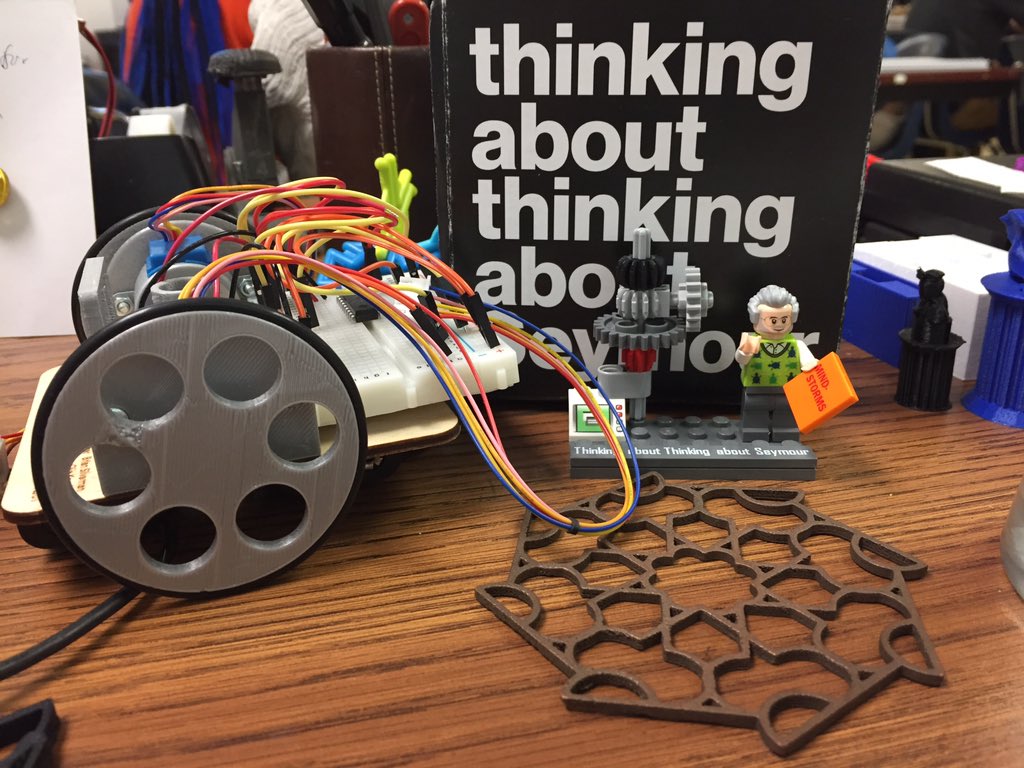
For the past several years, many of us in the maker education community have been working on developing a new LogoTurtle Robot (with Josh Burker and Erik Nauman leading the way) to honor Seymour Papert.

“Logo Turtle with Seymour Papert Lego MiniFig” kindness of Christopher Sweeney

A frustrating issue with coding in a classroom or workshop setting is that it is easy for youth to lose their code and also hard to work on their code outside of the classroom or technology center.

Enter the LogoEditor!

LogoEditor is a quick and easy way for students to manage and create programs to later run on their Logo Turtle Robots.  All you need is a Google Account to start saving programs directly to your Google Drive through LogoEditor. For those without a google account, fear not!  The LogoEditor also supports offline editing.

And there is a nifty and thorough documentation page for all you geek educators who want to know the nitty-gritty details of how LogoEditor works.

LogoEditor was created through a collaboration between the Wentworth Institute of Technology (WIT) Center for Learning and Community Partnerships (CLP) and the South End Technology Center @ Tent City.  James Salvatore is a junior computer science student at WIT who has been doing work study with our Learn 2 Teach, Teach 2 Learn Program for more than a year.  As we have been developing different iterations of the physical LogoTurtle Robot, James stepped in to improve youth’s experience by using his computer skills to provide a simple youth-friendly user interface.

Relationships between maker programs and higher education institutions can benefit both!  James says “My experience at the SETC has allowed for me to further improve my technical skill set by developing various projects (such as the LogoEditor) that make a real impact for educators, youth, and the community!”

A makerspace for next to nothing

img_3718-1020x400_c

Photo: LighthouseCreativityLab.org

“How should I start makereducation?”  That is a question MakerEducators hear often. As did my co-Fablearn fellow Josh Ajima. He answers the question on his site: THE MAKERSPACE STARTER KIT. While I was writing this blogpost Autodesk’s website www.makingstartshere.com was published. A website which – as you might probably guess – answers the posed question and aims to be a platform for all sorts of projects. You can find an elaborate handout on how to start MakerEducation. Practically all aspects are dealt with. Fantastic!

A maker educator is a coach who inspires learners to build technical skills and creative mindsets through hands-on projects and experiential learning. – MAKER PROGRAM STARTER KIT

It perhaps makes writing this post superfluous. So, why should you continue reading? In his presentations Gary Stager often states: “The best makerspace is between your ears”. That is nice and ideal, obviously, and it doesn’t cost you anything! But how to get there? This post aims at answering that question. The answer isn’t an easy one. We will go into the practical aspects, but also the change of culture that MakerEducation usually entails. Making makes so much possible, it is hard to find a common startingpoint. Actually, the only thing is… that we all just started. So, read on.

Before we commence

Before we commence, first things first. We will start with these conditions:

  • Budget: $0 – $200
  • Unit: one class of 30
  • Base: A4, paper, stapler, glue, computers, printer

Base

By base we mean the materials that a school has available. Basically anything you have lying around. Obviously there is lots to find besides that, but it pays to try out basic materials. Paperclips, cups, cellotape, can all be used in so many different ways. Add them to the materials for a maker project and see what happens.

Unit

Our unit is one class of 30 students. It helps to start with a complete class. Naturally you can start with a smaller group of kids.

Budget

The budget is a max of $200. Making is usually about making actual things out of materials. That costs money. There’s no getting around that. A bit of creative collecting takes you a long way too. However, making simply costs money.

In the next part we will elaborate on the makerspace. Starting maker education could also be the start of a change of culture. Next, we will go into how you might get a grip on this cultural change.

Culture

You start something new. Maker education is much more than just stuff, most of all it is a learning stance. You will find more on this in this blogpost.

Making is a stance toward learning -Sylvia Libow Martinez

When you are tied to a regular curriculum – as are most of us in mainstream education – then there are several approaches to maker education:

  • Following recipes / manuals
  • working within a framework
  • working without restrictions.

I wrote about this in a previous blogpost called, “What do they learn?”. If there is no experience yet with practical work, then it is probably wise to start with manuals. That provides a solid base. However, real magic occurs when students are left to find things out themselves. “The best makerspace is in your head.” Freedom is great, however, it does have some issues. Often freedom is at odds with a set curriculum. Being allowed to learn as opposed to being obliged to. Therefore it is to be expected that when you start making you also start changing the culture within your classroom.

A change in culture

That sounds rather pretentious. It is by no means meant as such. Starting off with perceiving making as a change in culture give you a grip on the process. That is the point of this blog. According to Scott Keller & Colin Price there are four aspects that require attention, more or less at the same time, if you wish to trigger a change in culture:

  • Belief
  • System
  • Skills
  • Rolemodels

Belief

Together with your students you have have established a culture. When you start making, it has to be clear to them why you are going to do things differently. They should at least be willing to commence the experiment together with you. If you are enthusiastic yourself, your students will be easy to convince. As for the adults, i.e. the school leaders, they might need more convincing.

System

Try to organise in such a way that there is lots of real making. At regular, preferably extensive, moments. Clear spots in the curriculum, perhaps even in a designated classroom within the school building (makerspace). Besides this, as mentioned before, making costs money. That means you must have a budget, preferably for a longer period of time.

Skills

In our experience students develop many different skills. Helping each other, perseverance, and concentration are some examples. They are the added values of what is important to students. They want to do projects and turn their ideas into something new. This is what they need maker education for. For example, to learn soldering, digital designing and programming. As a teacher you will also have to develop new skills to make this possible. How to apply for funding,  setting up a local maker teacher network, … Finding help to develop your own skills, like programming, by signing up to informal networks like the Scratch community. All kinds of examples of skills you need to set a change in culture in motion.

Role Models

You can find makers in all shapes and sizes. Finding a role model should be easy. For example, people who have done a project that you would like to do too. And ‘project’ can mean anything: an object, a skill or creating a cool place like a makerspace. One of the great strengths of the maker movement has to be the sharing that makers do. This way, role models often give an insight into skills and system. As a teacher you are the center of this process. Maker education is not something you teach; it is something you experience yourself. When students are given freedom they tend to ask questions you don’t have an answer to. This can be a challenge. For a teacher, not knowing can be a hard thing to deal with. One way of going about this is becoming a maker yourself. At the very least you should go through the process of making something yourself a few times. Find one instructable and just copy it. This way you will experience your own learning strategies and problem solving skills. Students can benefit from your experience, learn from it.

It would be great to make this into a separate blogpost (maybe later) but the short version goes like this.

  • You have to believe in what you do.
  • Role models offer inspiration for you and your students. (Needless to say you are a role model to your students.)
  • You need to develop the necessary skills doing and organising maker education.
  • It all has to be part of a system aimed at being sustainable.

All these aspects are equally important to make a change in culture. In the “MAKER PROGRAM STARTER KIT” you can find them, though not very explicit, as well:

  • Experience and interest in working with youth.
  • Love for learning new skills and an understanding that failure is part of the learning process.
  • Organizational and problem solving skills necessary to run a classroom or extracurricular program.
  • Willingness to embrace the maker culture.

If you would like to develop our ymaker skills, the HumbleBundle is a great place to start. Occasionally they offer a maker bundle. With a “pay what you want” principle, it’s a great way to get your hands on some popular maker and maker education books (skills, role models and system). For approximately $15 you will get the extended collection. This is the first money we spent!

Another way to reinforce the change of culture is to get the students’ families involved. Creating makers together! Send parents an email with the link of this poster from Astrid Poot’s (look her up, the work she does is a real treasure trove) It’s a poster of 50 tools to use before you’re 12 years old. Another great way is to host a maker night at your school and to invite the parents. This guide from “Family Creative Learning (MIT)” can be a great starting point.

This way you don’t only work on skills. Getting parents involved helps to achieve a better understanding for what your are trying to do (system, belief and skills).

Materials

So, more about spending money! We still have $185 of our budget to spend. What to spend it on? You can spend your money on a few things: materials, tools, equipment and software. The budget is limited, buying equipment on this budget is a no-go. More on that in my next blog. I planning to make a series of blogpost for creating a makerspace for different budgets.  For now we will focus mainly on materials and tools.

Once you get started with a group, then it is logical to try to keep the costs of materials low. With a factor 30 – or 15 if you are letting them work in pairs – things can rapidly get out of control. Seeing as our budget is low, and because making can continue even if the money has been spent, we choose to work with as cheap as possible materials. Some examples:

Cardboard

Even more various that LEGO®, cardboard can be used to make almost anything! Just take a look at The Cardboard Institute of Technology (CIT). Your school should see a steady supply of cardboard. Make it a priority to get a hold on it. Maker educator Robbie Torney has done so by finding a spot (system) within his school where people collect the cardboard for use in maker projects (belief).

Measuring tapes

One can usually find paper measuring tapes in D.I.Y. stores and IKEA Because they’re flexible, they’re super easy to use. If you ask kindly, you usually can take a few without any problems.

Paint samples

Adding colour is one of the most popular ways to personalize your project. Paint can be expensive, however paint samples are available for free at D.I.Y. stores. Make sure to ask, though.

Film containers

You can do really nice things with film containers. We use them to make little rockets with water and vitamin C effervescent tablets. Lots of photo shops collect them and enjoy handing them out to schools. Perhaps you can make arrangements with the photo shop around the corner?

Dismantling old things

Old things can be sources for seperate components. From hinges of kitchen cabinets to electronic parts of electric appliances.the actual dismantling can be a lesson in itself (does take tools to be able to do so). You can find this refernce book on HumbleBundle. It helps you establish what kinds of parts can be found in your appliance (you can also purchase it here).

Leaflets/magazines

Printing actual pictures and texts from the Internet is often quite costly. Collecting leaflets and magazines can provide you with a free collection of photographs and typography. Obviously this is limited, but that could well be its power. This following example shows how you can use this kind of material to get your students to create poetry.

Recycling material

The aforementioned materials are merely a few examples of ‘free’ materials. You can find so much more around you. Milk cartons, dessert trays, bicycle tires, toilet paper rolls… you name it. Do keep in mind that you are able to store it all and to make it available to your students (system).

Tools

You can make anything with cardboard and it is usually free. It is considered the backbone of many a maker space. We choose to spend our budget on the tools you used to make use of cardboard.

Knives: 15 pieces at $5 = $75

Buy good (Stanley) knives with a good grip and preferably a retractable blade. These will cost you approximately $5 each and usually come with some spare blades (don’t forget to remove them).

Cutting board A4 15 pieces at $4 = $60

You cut on a cutting board, obviously. Good cutting boards usually have lines to help you cut straight pieces. If you buy knives, then cutting boards are a must.

Hot glue gun 10 pieces at $5 = $50

Hot glue guns allow you to glue anything together quickly. Pieces of cardboard aare stuck together within an eyewink. You can find many different suggestions as to how to stick pieces of cardboard together, but they are often costly. Hot glue guns are divers in use and cheap to buy.

Software

Digital constructing is one of the maker movement’s pillars. It has made realising one’s dream accessible to many more people than before. Besides that, the assembly process takes place in the classroom and more often as part of a lesson. Our budget doeasn’t really leave room fort he purchase of digital manufacturing programmes. A vinyl cutter starts at approximately $300.00 and a lasercutter around $3,500. Nevertheless, you can begin with the skills of digital design. Especially if you have plans to expand your maker space in the future. One small trick helps you to do a bit of digital design, in 2D as well as in  3D.

2D

There are many ways to design something digitally. You can simply use your Word processor. Equipment like the vinyl cutter and the laser cutter work on vectors. You need special software to be able to use them. Our budget has been spent. Thank goodness for online options, like the online vector.com (or vectorizer.io) and free to download Inkscape. They all work independent of what platforms you use. For Inkscape especially, you can find many manuals/youtube channels online.

How can use use it anyway without the vinyl cutter/lasercutter? Have students draw their designs in Inkscape, print the designs on paper. Use the paper to transfer their designs onto cardboard. That way you don’t have to measure (eventhough that is a useful skill!) out on cardboard anymore.

3D

In order to be able to design 3D you will also need special software. There is a lot to be found. More than enough for a blog post of its own. The online TinkerCAD is a is an easily accessible way into the world of 3D. Here too, you can find many manuals that can help you. The same steps as described earlier can be applied here to allow you 3D designing within a €200 budget makerspace. Design something in TinkerCAD, import it into the also free program 123D MAKE. Choose stacked slices, using the thickness of your cardboard for the height of the material. Print it, using regular paper.This takes a lot of time and not all designs will work as well. Basic forms, like a globe, will work out very well.

(While writing this blogpost, Autodesk announced to stop the 123D apps. At the moment you are still able to download and use it, but as of 2017 it will be taken out of production. The functionality of the apps will most probably be built into Autodesk, which is also free of charge for educational purposes.)

Time

The final ingredient is time. Making takes time. Make sure to plan ample time for your maker project, preferably in one longer stretch, instead of short periods now and again.

I will not go into programming in this post, though that is also an option, with the fantastic Scratch for example. Programming becomes much more fun using a physical component. Things are happening between the real word and the physical one. In a next blogpost, a makerspace from $200-$2000 I will go into that in more depth.

What now?

I have only one answer to that! Get started! Follow the hashtags #fablearn en #makered on Twitter for a daily dose of inspiration. Visit the website, makered.org. You can find lots of ideas on the “getting started” page. Do you want to read more? Download (free) “Meaningful Making: Projects and Inspirations for FabLabs and Makerspaces”. This contains  a collection of experiences of experienced maker educators, who go into various aspects of maker education.

Whenever you start, then never forget to share. You are not alone, but part of a large international community!

Per-Ivar (@___pi)

*Thanks Sylvia and Claire for helping me getting the words straight!
Papert’s Eight Big Ideas translation to portuguese (Oito Grandes Ideias)

Recently, Sylvia Martinez (our FabLearn mentor) invited us Fellows to translate Seymour Papert’s Eight Big Ideas Behind the Constructionist Learning Laboratory to other languages. As Sylvia describes in her blog:

“In 1999, Seymour Papert, the father of educational technology, embarked on his last ambitious institutional research project when he created the constructionist, technology-rich, project-based,  multi-aged Constructionist Learning Laboratory inside of Maine’s troubled prison for teens, The Maine Youth Center.”

The story behind the Constructivist Learning Laboratory is documented in Gary Stager’s doctoral dissertation, “An Investigation of Constructionism in the Maine Youth Center”. In the “Invent To Learn: Making, Tinkering, and Engineering in the Classroom book, Stager explains the context in which the “Eight Big Ideas” text was written:  

“Shortly after the start of  the three-year project, Papert outlined the Eight Big Ideas Behind the Constructionist Learning Laboratory. Although non-exhaustive, this list does a good job of explaining constructionism to the general population.”

Following Sylvia’s suggestion, here is my contribution to help spreading Papert’s ideas in Brazilian Portuguese. You can also access and share the PDF version in this file: Oito grandes idéias – Papert


Oito grandes ideias por trás do Laboratório de Aprendizagem Construcionista

Por Dr. Seymour Papert (1999)

A primeira grande ideia é aprender fazendo. Todos aprendemos melhor quando aprender é parte de algo que achamos realmente interessante fazer. Nós aprendemos melhor quando usamos o que aprendemos para fazer algo que realmente queremos.

A segunda grande ideia é a tecnologia como material de construção. Se você puder usar a tecnologia para fazer coisas, você pode fazer coisas muito mais interessantes. E você pode aprender muito mais fazendo-as. Isto é especialmente verdadeiro na tecnologia digital: computadores de todos os tipos, incluindo o Lego controlado por computador em nosso laboratório.

A terceira grande ideia é diversão dura. Nós aprendemos melhor e trabalhamos melhor se apreciarmos o que estamos fazendo. Mas diversão e prazer não significam “fácil”. A melhor diversão é a diversão difícil. Nossos heróis dos esportes trabalham duro para melhorar em seus esportes. O carpinteiro mais bem sucedido gosta de fazer carpintaria. O empresário bem-sucedido gosta de trabalhar duro para fazer negócios.

A quarta grande ideia é aprender a aprender. Muitos estudantes têm a ideia de que “a única maneira de aprender é ser ensinado”. Isto é o que os faz falhar na escola e na vida. Ninguém pode te ensinar tudo que você precisa saber. Você tem que se encarregar da sua própria aprendizagem.

A quinta grande ideia é ter tempo – o tempo adequado para o trabalho. Muitos alunos da escola se habituam a ouvir a cada cinco minutos ou a cada hora: façam isso, então façam aquilo, agora façam a próxima coisa. Se alguém não está dizendo a eles o que fazer, ficam entediados. A vida não é assim. Para fazer qualquer coisa importante, você tem que aprender a gerir o tempo para si mesmo. Esta é a lição mais difícil para muitos de nossos alunos.

A sexta grande ideia é a maior de todas: você não pode fazer certo sem fazer errado. Nada importante funciona da primeira vez. A única maneira de acertar é olhar atentamente para o que aconteceu quando algo deu errado. Para ter sucesso, você precisa da liberdade para cometer erros no caminho.

A sétima grande ideia é fazer a nós mesmos o que fazemos aos nossos alunos. Estamos aprendendo o tempo todo. Temos muita experiência de outros projetos semelhantes, mas cada um é diferente. Nós não temos uma ideia pré-concebida como isso vai funcionar exatamente. Nós gostamos do que estamos fazendo, mas esperamos que seja difícil. Esperamos levar o tempo que precisarmos para fazer isso direito. Cada dificuldade que encontramos é uma oportunidade de aprender. A melhor lição que podemos dar aos nossos alunos é deixar que eles nos vejam batalhando para aprender.

A oitava grande ideia é que estamos entrando em um mundo digital onde o conhecimento sobre a tecnologia digital é tão importante quanto a leitura e a escrita. Portanto, aprender sobre computadores é essencial para o futuro dos nossos alunos, MAS o objetivo mais importante é usá-los AGORA para aprender sobre todo o resto.


¹Eight Big Ideas Behind the Constructionist Learning Lab. In Stager, G. An Investigation of Constructionism in the Maine Youth Center. Doctoral dissertation. The University of Melbourne, 2006.

Decolonizing STEMM: Reclaiming Indigenous Scientific, Technological, Engineering, Math, and Maker Knowledge, Practices, and Inventions

Since January 20, 2017 I’ve been trying to hold on for dear life to that elated sense of progress and hope that swept me off my feet during President Barack Obama’s first inauguration 1. I had just started my first full-time 4th grade teaching gig on 98th and Bancroft in East Oakland, a community highly impacted by Post-traumatic Slave Syndrome 2, poverty, and segregation. Fresh from a career transition as a crisis counselor, I inherited a classroom whose teacher had been fired mid-February. I thought, “I did crisis counseling and case-management for women and children survivors of domestic violence for 10 years, I can definitely learn with kids, all day, erry day.” And because he had just been sworn into office, I knew I had to catch Obama’s wind in my sails and deliver inspirational instruction to my students because their life actually does depend on it.

Their lives depend on it not only because my students are survivors of violence, but because I only taught ELA and Math, all day, erry day. (Insert rolling eye emoji) It’s so frustrating when outsiders judge students of color being so disconnected from their communities and the world. How can we expect them to find connection with their communities and the world when we advocate for anemic diets of only ELA and Math?

I taught Open Court Reading (OCR), which was my scripted bible as a full-time emergency long-term substitute teacher and full-time credential program student. OCR authors had done everyone a solid by writing in Science Connections related to some readings for teachers to latch on to, if they wanted. The Science Connections were meager crumbs to me, who hated school in 4th grade but love science and learning!

As a child I learned so much basic science about our bodies and the magic of physics that as a teacher I was so aware of everything that was missing. Everything missing includes fun and engaging and hands-on but also includes basic knowledge that connects human beings to the cycles of the planet through explicit STEMM (Science, Technology, Engineering, Math, and Making) instruction.

So decolonizing STEMM became a critical part of my practice. Decolonizing STEMM means re-connecting present-day people to the Earth by educating youth on the knowledge of the world passed down from our ancestors. Decolonizing STEMM of dominant Western practices and bias means we can live independently without the over-production or addiction to corporate surrogacy. Decolonizing STEMM is about explicitly and critically interrogating the means and ends of modern day STEMM as a pathway to recruit more STEMM professionals of color and re-entangle their personal identities to elders who once lived in non-competitive symbiotic relationships 3 with the Earth.

To Decolonize STEMM for my students I had to start by decolonizing my own mind. I started seeking out holders of knowledge willing to mentor me. I joined a local Xicana youth empowerment organization focused on third world resistance and alliance building across oppressed peoples of the world. This organization gave me a pulse check on local youth outside of Epic. I also began attending and participating in People’s Education Movement as professional development: an educators group where we explicitly unpack our own internalized oppression and the colonization of education through readings, discussion, and actions. Lastly, I started a Women of Color STEMM (WoCSTEMM) educators group that has since evolved to include white STEMM allies through a convergence with the Social Justice Math Educators of the East Bay (SJME).

The convergence of the WoCSTEMM and SJME groups eventually lead to the creation of Social Justice STEMM educators. We started in Oakland and have grown to include STEMM educators in San Francisco and Santa Rosa. This group is where I go to work through curricular development issues. We use Critical Friends Protocol to present projects that ensure educators and students are digesting STEMM through a critical pedagogical lens.

Next blog post I will write about the sewing project that developed with the help of the Critical Friends Protocol and my colleagues in the Social Justice STEMM educators group.

1 “Obama’s Parting Gift: The Power Not to Fear White Racism – The New ….” 19 Jan. 2017, http://www.newyorker.com/culture/cultural-comment/obamas-parting-gift-the-power-not-to-fear-white-racism. Accessed 20 Jan. 2017.

2 Http://www.youtube.com/channel/UC4QE-558aA2pr5-OsXOCaDw. “Post Traumatic Syndrome Dr Joy DeGruy Leary.” YouTube. YouTube, 12 Jan. 2016. Web. 05 Feb. 2017.

3 “Symbionts, Parasites, Hosts & Cooperation.” Symbionts, Parasites, Hosts, and Cooperation – MarineBio.org. N.p., n.d. Web. 05 Feb. 2017.

8 Big Ideas of the Constructionist Learning Lab

One of the challenges that many FabLearn Fellows face is explaining the concept of constructionism to other educators, volunteers, administrators, parents, and even students! Luckily, we have Seymour Papert to the rescue as he faced this exact situation.

In 1999, Seymour Papert, the father of educational technology, embarked on his last ambitious institutional research project when he created the constructionist, technology-rich, project-based,  multi-aged Constructionist Learning Laboratory inside of Maine’s troubled prison for teens, The Maine Youth Center.

The story of the Constructivist Learning Laboratory is documented in Gary Stager’s doctoral dissertation, “An Investigation of Constructionism in the Maine Youth Center.” The University of Melbourne. 2006.

Gary shares in the book, Invent To Learn: Making, Tinkering, and Engineering in the Classroom, “Shortly after the start of  the three-year project, Papert outlined the Eight Big Ideas Behind the Constructionist Learning Laboratory (PDF). Although non-exhaustive, this list does a good job of explaining constructionism to the general population.”

Eight Big Ideas Behind the Constructionist Learning Lab
By Dr. Seymour Papert

The first big idea is learning by doing. We all learn better when learning is part of doing something we find really interesting. We learn best of all when we use what we learn to make something we really want.

The second big idea is technology as building material. If you can use technology to make things you can make a lot more interesting things. And you can learn a lot more by making them. This is especially true of digital technology: computers of all sorts including the computer-controlled Lego in our Lab.

The third big idea is hard fun. We learn best and we work best if we enjoy what we are doing. But fun and enjoying doesn’t mean “easy.” The best fun is hard fun. Our sports heroes work very hard at getting better at their sports. The most successful carpenter enjoys doing carpentry. The successful businessman enjoys working hard at making deals.

The fourth big idea is learning to learn. Many students get the idea that “the only way to learn is by being taught.” This is what makes them fail in school and in life. Nobody can teach you everything you need to know. You have to take charge of your own learning.

The fifth big idea is taking time – the proper time for the job. Many students at school get used to being told every five minutes or every hour: do this, then do that, now do the next thing. If someone isn’t telling them what to do they get bored. Life is not like that. To do anything important you have to learn to manage time for yourself. This is the hardest lesson for many of our students.

The sixth big idea is the biggest of all: you can’t get it right without getting it wrong. Nothing important works the first time. The only way to get it right is to look carefully at what happened when it went wrong. To succeed you need the freedom to goof on the way.

The seventh big idea is do unto ourselves what we do unto our students. We are learning all the time. We have a lot of experience of other similar projects but each one is different. We do not have a pre-conceived idea of exactly how this will work out. We enjoy what we are doing but we expect it to be hard. We expect to take the time we need to get this right. Every difficulty we run into is an opportunity to learn. The best lesson we can give our students is to let them see us struggle to learn.

The eighth big idea is we are entering a digital world where knowing about digital technology is as important as reading and writing. So learning about computers is essential for our students’ futures BUT the most important purpose is using them NOW to learn about everything else.

Download the PDF of these 8 big ideas and share widely!

Crossposted at the Invent to Learn blog

“That’s Mad Work Mister”: A Reflection on How to Scaffold Self-Directed Learning

img_7086“That’s mad work mister” is a phrase that I hear a lot at the beginning of the school year.  At first, I thought that it’s good to challenge my students, even if it leads to frustration, failure and setbacks. I was afraid to do projects that would be perceived as too “babyish”.  But when I spoke to a colleague about this fear and expressed how maker can be used as a way to build frustration tolerance and to work through failures, she called into question some of my assumptions.  Essentially she asked, “Who sets out to fail at something?”  We spoke about how failure could be more frightening for students with less privilege, since they might perceive that the stakes are higher for them.

Without a doubt it’s important to learn to work through failure and fix mistakes.  This is a big part of the re-iterative process for design and making.  Though, how early should students be introduced to the challenges of failure and how much scaffolding should teachers integrate into their lessons to protect students from failure?  Also, at what point does the idea of building frustration tolerance and working through failure start to sound similar to the idea of “building grit”?  

In doing research for this post, I was surprised to find out that Jerome Bruner, the psychologist who developed the theory behind scaffolding, was a constructivist.  I was surprised by this because so much of what we talk about in maker education, which is heavily influenced by constructivist theory, has to do with self-directed learning.  I agree with Gary Stager and Sylvia Martinez when they say that sometimes the best thing we can do as educators is to get out of the way.  I began wonder how we can simultaneously prevent frustrated students from giving up while also staying out of their way of learning.

Scaffolding a Maker 101 Class: Paper Circuitsimg_7077

This post is the first in a series where I’d like explore how to scaffold some common maker projects.  So where better to start than a lesson on paper circuits? Paper circuits are a great and are almost used universally for introducing circuitry and electronics. There are so many ways that paper circuits can be incorporated into the classroom, from creating holiday cards to making cardboard houses, just to name a few.  

Paper circuit playing cards: What does it mean to make and who makes?

This is usually one of my first projects, so I like to discuss during the lesson what maker class is and who makers are.  Many of my students are not familiar with the Maker movement and most have just been placed in the Maker class as opposed to having expressed an interest in it. This gives the class a different feel than say a robotics class, since some students initial attitude is that it’s just another class that they’ve been forced into taking. The challenge is getting these students excited about Maker. But this is all part of expanding the Maker/STEAM tent.

img_7094At the beginning of class, I hand out “Maker playing cards” with questions on the back. Students fill out the questions, or the makers’ “stats”, by researching the makers online. Since I teach students of color, I highlight historical makers of color. These are artists, scientists, musicians and even a heavy weight champion (Jack Johnson). I look across disciplines to demonstrate that maker is not so clearly defined, and is certainly not limited to just people working in Silicon Valley.  I you’re interested, you can download the makers-of-color cards here.  

The students pick out which Maker they want to research and answer the questions on their own.  The questions are simple and can be easily adapted based on the students. This is a simple task that the students can complete easily, which will give them momentum when they move into the next part of the project.  

Two different approaches to paper circuits

img_7081After they’ve finished the cards, I show the students how to use copper tape, LEDs and batteries to make a paper circuit. I’ve done this lesson as both individual and group projects, and I prefer it as a group project. For the individual project, students are given the task to adding a LED to their Maker playing card. Many students place the LED above the maker’s head to make it look light bulb is turning on.

As a group project, students will work together to make a poster board circuit. Each group will be given a poster board, copper tape, LEDS, batteries, battery holder and an assortment of crafts materials. Using the given material, students will make a parr circuit that lights up the LEDs.  Each group will have to integrate their maker cards into paper circuits. How they choose to go about this is up to them.

At the FabLearn conference, I was in a workshop where we made poster board circuit.  I thought what better way to scaffold a maker project then to encourage collaboration.  I think this group approach works much better than students working on individual cards.

There are two scaffolding strategies used in the above lesson. The first is to set the students up for immediate success before they move on to the more challenging part of the project. By setting them up for success, they are more invested in finishing future tasks.  Their first task is just to research the makers and answer the questions on the back of the card. They could either google the makers, or to make it even simpler, they could read articles on the makers that the teacher researched and printed ahead of time. The second strategy is to encourage students to work together. By encouraging them to work together, they are able to help and teach each other.  This allows the teacher to “get out of the way”, while also providing an environment where students can work together to overcome some of the challenges.  

As I gain more experience teaching maker, I find myself reflecting more on the process of making rather than what products the students will make.  For my students, a lot of the projects and material we’re covering is new, so it’s exciting.  I believe if I can set my students up for more successes early on, they will be willing to take on greater risks later.  


Cheikh Anta Diop Fablab Academy

Cheikh Anta Diop is one of the most well-known and most brilliant African of the scientific world. He greatly contributed to knowledge on ancient African societies and has long worked for the emergence of science in the educational sector among others.

Inspired by his deep commitment, our Fablab Defkoakniep (Do It with everybody), decided to honor and acknowledge his dedication to science and technologies in Africa by naming our training program (or Mobile Fablab) after him: Welcome to Cheikh Anta Diop Fablab Academy!

Cheikh Anta Diop FabLab Academy aims at promoting sciences through the vulgarization of new technologies, namely digital activities and digital fabrication, Making etc.

This project’s objective is to open up an alternative, participative and experimental pedagogical curriculum to all Senegalese who wish to discover digital fabrication. With the Cheikh Anta Diop Fablab Academy, participants will no longer be passive IT consumers but active IT creators, innovators and designers who are invited to explore and develop their ingenuity, creativity and potential.

Topics related to sustainable development and concepts such “Do it yourself” & “Do it Together” will also be discussed and they are the core of Cheikh Anta Diop Fablab Academy’s trainings.

The program first target the city of Dakar, where the number of young people is important. Then, the project and the concept will be expanded to more remote areas.

Cheikh Anta Diop Fablab Academy has two components:

Component 1:

A FabLab team and volunteers will visit schools all year long with appropriate tools and equipments to provide training and organize practical workshops.

cad-training-kids

During these workshops, participants will be first introduced to IT basics and will be initiated to different components of a computer and its system unit. Then they will learn how to handle a keyboard, a mouse, and type a text. We will also have a programming training with Scratch and introduction to electronics and 3D printing.

Component 2:

The second component targets two specific groups: young people in disadvantaged areas and selected occupations such as shoemakers. It should be mentioned that in Dakar there are a large number of shoemakers who manufacture thousands of shoes daily.

cad-training-adult

We want to introduce them to digital manufacturing tools including laser cutting. We believe that training them on these digital manufacturing tools will improve their productivity and workflow and it will help them generate extra income.

The Cheikh Anta Diop Fablab Academy is an alternative education program and it will evolve, for the better hopefully, overtime. Therefore, we are looking for more content and better techniques to create and spread knowledge through practice.

You are all invited to follow and contribute to our adventures with the Cheikh Anta Diop Fablab Academy, “the Mobile Fablab” .

Follow us on:

Website:


Classroom Teacher Engagement

Perhaps one of the biggest challenges for me, as a STEAM specialist, has been the keeping making alive when my students leave the lab. I make a very intentional effort to collaborate with teachers, to learn what students are doing in their regular elementary classrooms and integrate this into lessons and projects in the lab. However, often, this relationship is not reciprocal. In an effort to get more teachers incorporating Making into their daily routine I’ve tried a few strategies this year, that seem to be helping. However, without having a specialized coach, whose time is dedicated to going around to individual classrooms and meeting with teachers, this process can be difficult. What ways have you found to be most helpful in sharing the Making Mentality throughout your school or program?


Here are a few ideas I’ve tried this year:


  • After School Making Party– Getting teachers to attend an after-hours event sometimes means meeting your audience. My audience happens to be one drawn to Pinterest. So, we had a Pinterest Party. There were several projects inspired from Pinterest with materials for them to create. One of the projects, purposely required the use of a Cameo, because none of my teachers knew what it was or how to use it prior to the party. My idea is to slowly incorporate more “lessons” in these events. Perhaps next is a Valentine Card Making Party, with one option being paper circuits. In the end, teachers left feeling engaged, they learned where materials were in the lab, what different machines do, and seemed curious about how they could bring more making projects to their own students.


  • Lab Tours– During a staff meeting we broke out into various sessions and I held a lab tour. I showed practically every tool, briefly explained how it worked and showed examples of student creations that used that tool or machine. I had them open up every cupboard, drawer, and peak into every shelf. I wanted them to see all the materials they, as teachers, and their students had access to. I encouraged them to use the space with or without me, depending on their comfort level.


  • Making Cohort/Book Club- My school has a staff meeting monthly around a specific topic we proposed in the beginning of the year. Typically there are 4-5 groups/topics to select from. Teachers choose which topic they want to further investigate and a cohort is formed for the year. I am leading a Making group (and proudly, I must say, more than half of the teachers are in this group). We are reading Meaningful Making and discussing it as a traditional book club might do. Teachers are also creating their own Making Projects they want to do with their students and I’m here to support them through the process.

Arduino training with Master Degree students from Cheikh Anta Diop University in Dakar

As everybody knows, Arduino , the ‘’magic’’ microcontroller board, is one of the most used in the world. With Arduino, it is very practical and easy to introduce prototyping to people without background in electronic and programming. Arduino allows them to learn and prototype their projects right away.

In Senegal, some engineering schools have started introducing Arduino classes in their program. Even if Arduino training programs are not yet fully operational, the initiatives should be welcomed, promoted, strengthened and multiplied across the country and the continent.

After discussing and exchanging ideas with some teachers from ESP (Ecole Supérieure Polytechnique) an engineering school of Cheikh Anta Diop University in Dakar, we have decided to introduce 30 hours  Arduino workshop for  their master degree students.

Because the majority of students never used Arduino before, the workshop focuses first on Arduino’s basics and fundamentals.

First, we explained all the opportunities offered by Arduino and then we showed how it works. Afterwards, we presented Arduino’s interface and the first ‘’Blink’’ program to switch a LED ON or OFF. The different step to write the program in IDE ( Variable declaration, Void setup (), void loop () and all syntax).

Second, we showed how to connect sensors, then we explained the difference between Analog and Digital pin. That being done, we taught how to connect these sensors to the Arduino board and how to write the code according to the type of pin they will use (Analog or Digital), .

All that is followed by several practical exercises with different sensors (Motion, IR, Temprature/Humidity, Sound, Flam, etc.). Below you can see some prototype made by the students.

1. Alarm and deterrent system

arduino-project1

Develop a deterrent system as follows: When passing an object or person in a sensitive zone, an alarm is triggered and a light projector is turned on.


2. Automatedsystem that contains air cooling 

arduino-project2

Develop a self-contained system that cools the air

3. Develop a portable temperature, pollution level detection and display system

arduino-project3

4. Remote control puppet

arduino-project4

Move a cardboard figurine with an infrared remote control

After these weeks of training, we noticed that students have learned and acquired new skills on Arduino sensor for their future academic, professional or personal project.

 We are discussing with some professors to see how to fully integrate the Arduino training in their academic program and update it according to new technological trends and new skills in demand.